



AI Navigation
Scraping often starts with browser actions (searching, paging, clicking, downloading) before extracting the actual data. Historically, Kadoa relied on predefined navigation strategies, which limited the feasibility of more complex use cases. Over time, we’ve learned a great deal about what makes automated browser navigation work well. The result is our new AI Navigation mode.
What is AI Navigation?
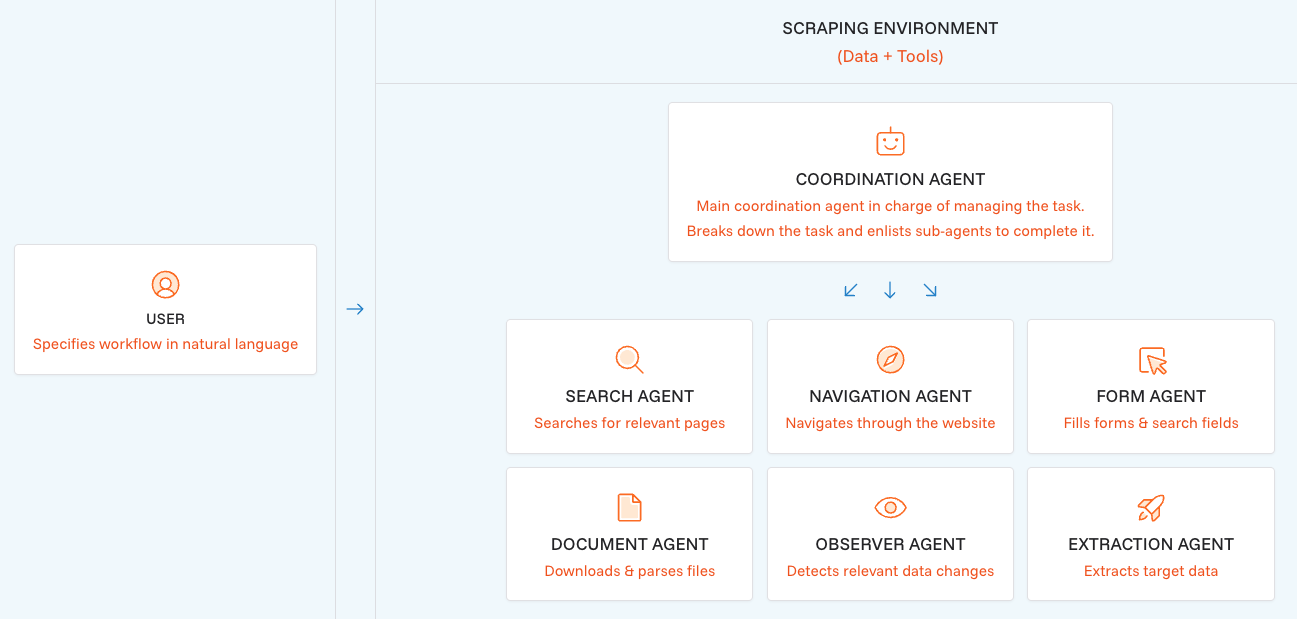
AI Navigation lets you describe any web scraping task in plain language. Our coordination AI agent then breaks down the task and enlists sub-agents to complete it.
Get Started
AI Navigation is now available for all Enterprise plans via API or UI.
To create a workflow with AI Navigation, you can set it up in almost the same way as you would set up a normal workflow:
- Define the source URL - Start with any website URL where your data extraction begins
- Define your data schema
- Auto-detected schema: The agent extracts what it discovers on the page or what you describe in your prompt
- Manually defined schema: Any pre-defined or manually created schema will be used by the AI agent
- Choose AI Navigation mode - Select "AI Navigation" as your navigation method
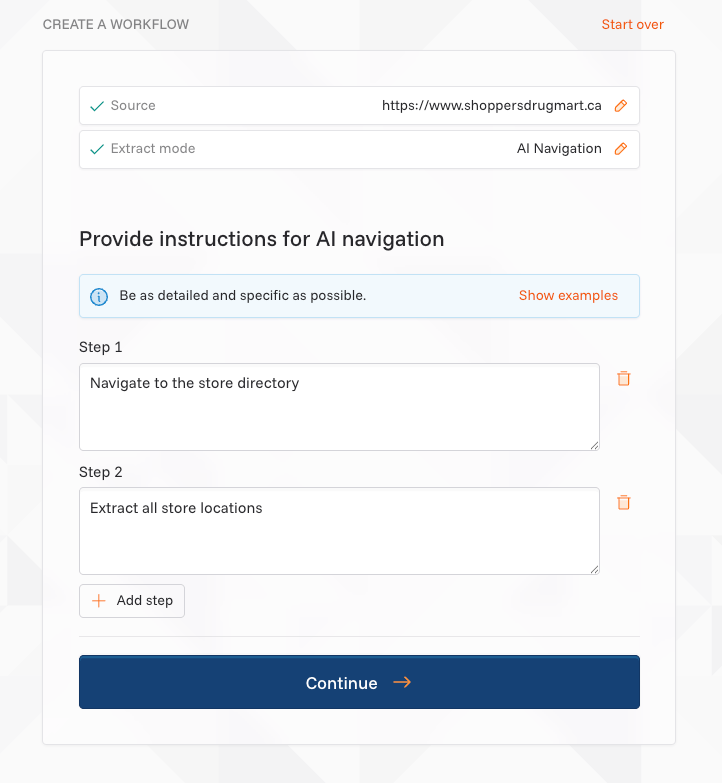
- Write your instructions - Describe the step-by-step navigation and extraction process in natural language
- Create & schedule - Review the preview data to validate results, then schedule the workflow for production.
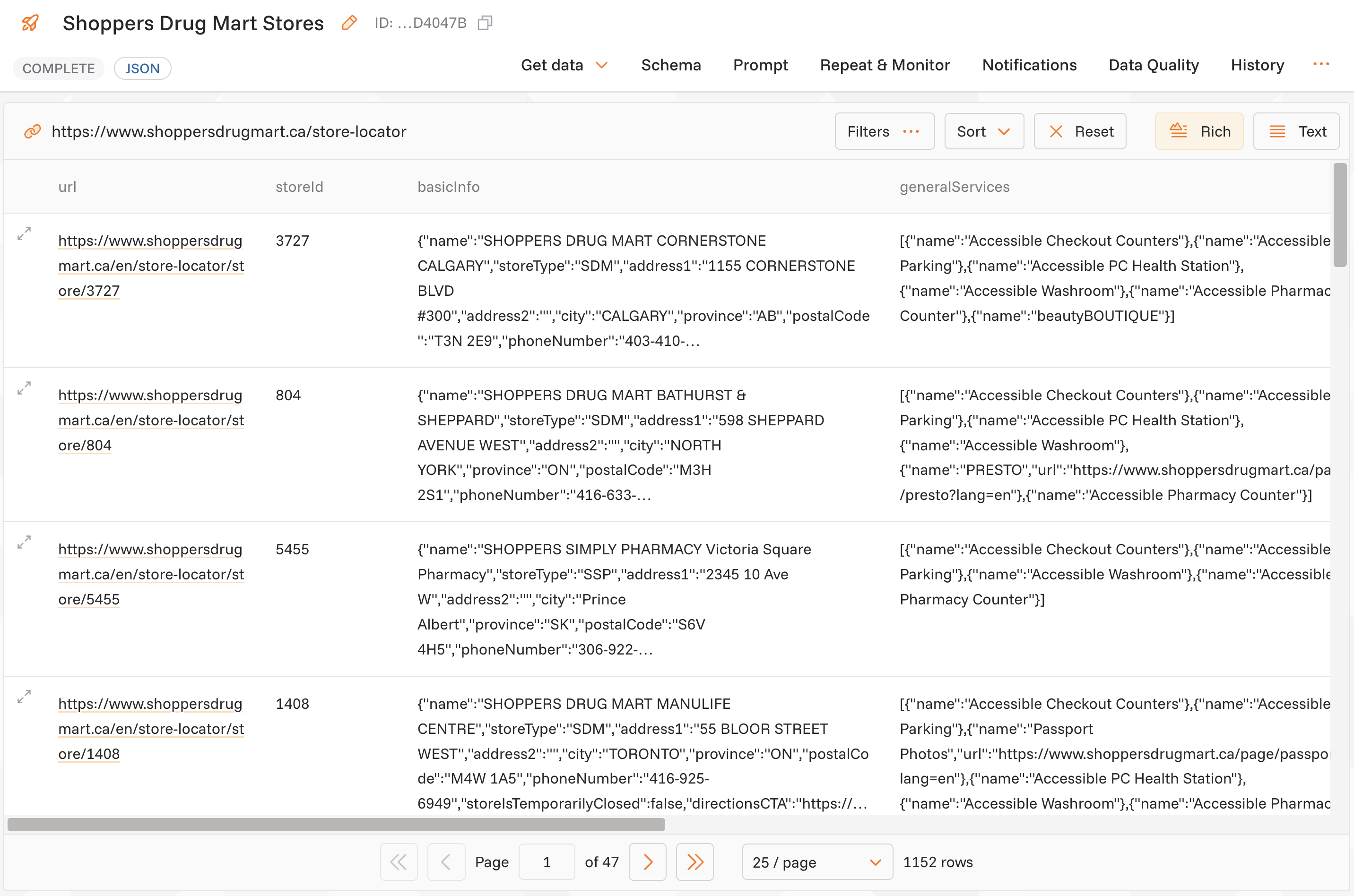
Here is how an example prompt and the resulting data can look like:
Use Cases
AI Navigation is ideal for scenarios that were previously difficult or impossible to automate:
- Complex browser interactions – Handle multi-step forms or search flows before extracting data
- Scraping behind login – Access gated portals before collecting information
- Document extraction – Locate, download, and extract the right content from files
- Search and crawling – Start from a root URL, then find and retrieve content based on keywords
Example prompts:
- Search for "industrial sensors"
- Filter by "in stock"
- Extract: part_number, description, quantity, unit_price, supplier_code
- Download the technical specification PDFs for each product
- Continue through all result pages
- Navigate to the investor relations section
- Find all quarterly earnings reports from 2024-2025
- Download each PDF and extract: revenue, net_income, eps, guidance
- Also collect the following metadata: report_date, fiscal_quarter, filing_type
AI Navigation is available now for all Enterprise plans via API or UI. Check out the documentation or reach out to us for support.