


Test Your Notifications
12 August 2025
Back to changelogWe've added a new testing feature to help you verify your notifications settings. This ensures your webhooks, emails, and other notifications channels are working correctly.
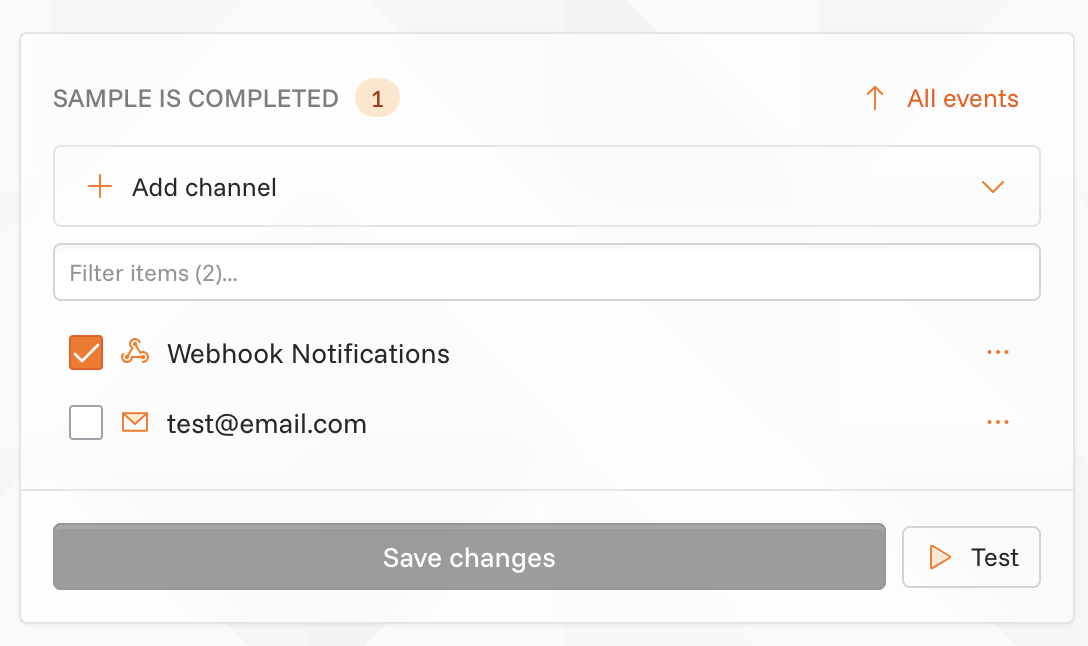
Test Notifications in the UI
You can now test your notifications settings directly from the dashboard. Simply configure your channels and event types, then click the "Test" button to send a mock notifications.
API Test Endpoint
For developers, we've also added a new API endpoint that allows you to programmatically test notifications. This is perfect for automated testing and CI/CD pipelines.
How It Works
- Configure your settings for events and add channels - Set up webhooks, email, slack, or websocket channels
- Select event types - Choose which events should trigger notifications
- Test your setup - Use the test button or API endpoint to verify everything works
Learn More
Check out our Notifications documentation for detailed information about testing and configuring notifications.