


AI Personalization
 Gabriel Ziegler,Senior AI Engineer at Kadoa
15 September 2026
Back to changelogWrite your team's conventions once in Settings > General, and Kadoa's agents follow them on every workflow you create afterwards. No more repeating the same context in each prompt.
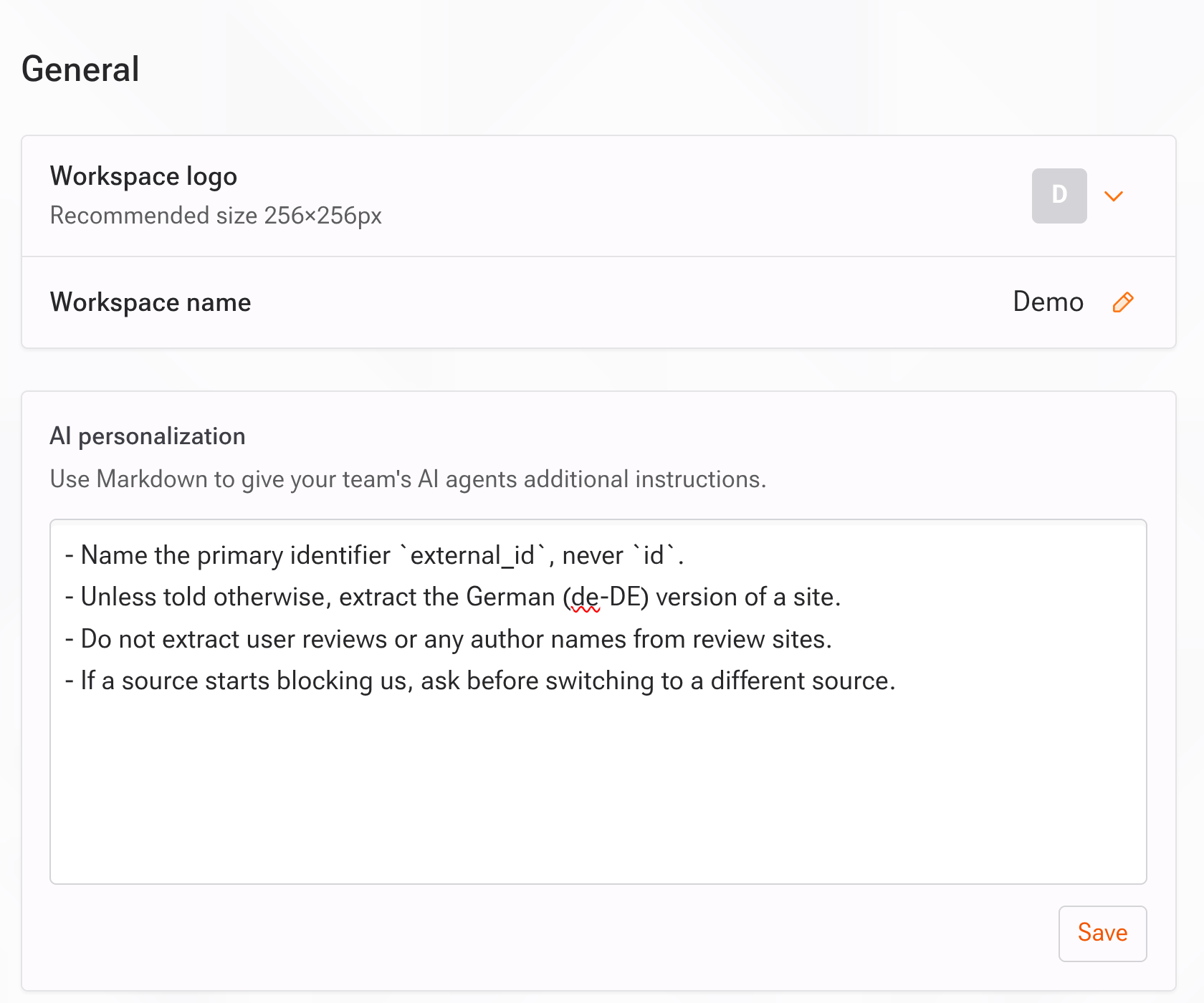
It takes Markdown, up to 8,000 characters, and anyone in the workspace can edit it.
Things teams put there:
- Output conventions: "Dates are ISO 8601 (YYYY-MM-DD), always UTC." "Use snake_case for every field name."
- Source shorthand: "'The portal' means partners.acme-internal.com. It needs the login stored in the
portal_loginvariable." - Compliance boundaries: "Never extract personal contact details from job postings. Company-level fields only."
- Escalation rules: "If a field is missing on more than half the rows, ask before guessing a fallback."
The text is read when a workflow's Assistant session starts, so it applies to workflows you create after saving it. Workflows that already exist keep the instructions they started with. Tell their Assistant directly, or update the workflow prompt.