



New Dashboard
The workflow dashboard now puts the next action first. Workflows that need a reply or preview approval appear under Needs your attention, followed by clear groups for work in progress, support, failures, active workflows, and paused workflows.
The Needs your attention group replaces the separate Inbox. The Inbox duplicated these workflows without the rest of the list context, so the dashboard is now the single place to review and act on them.
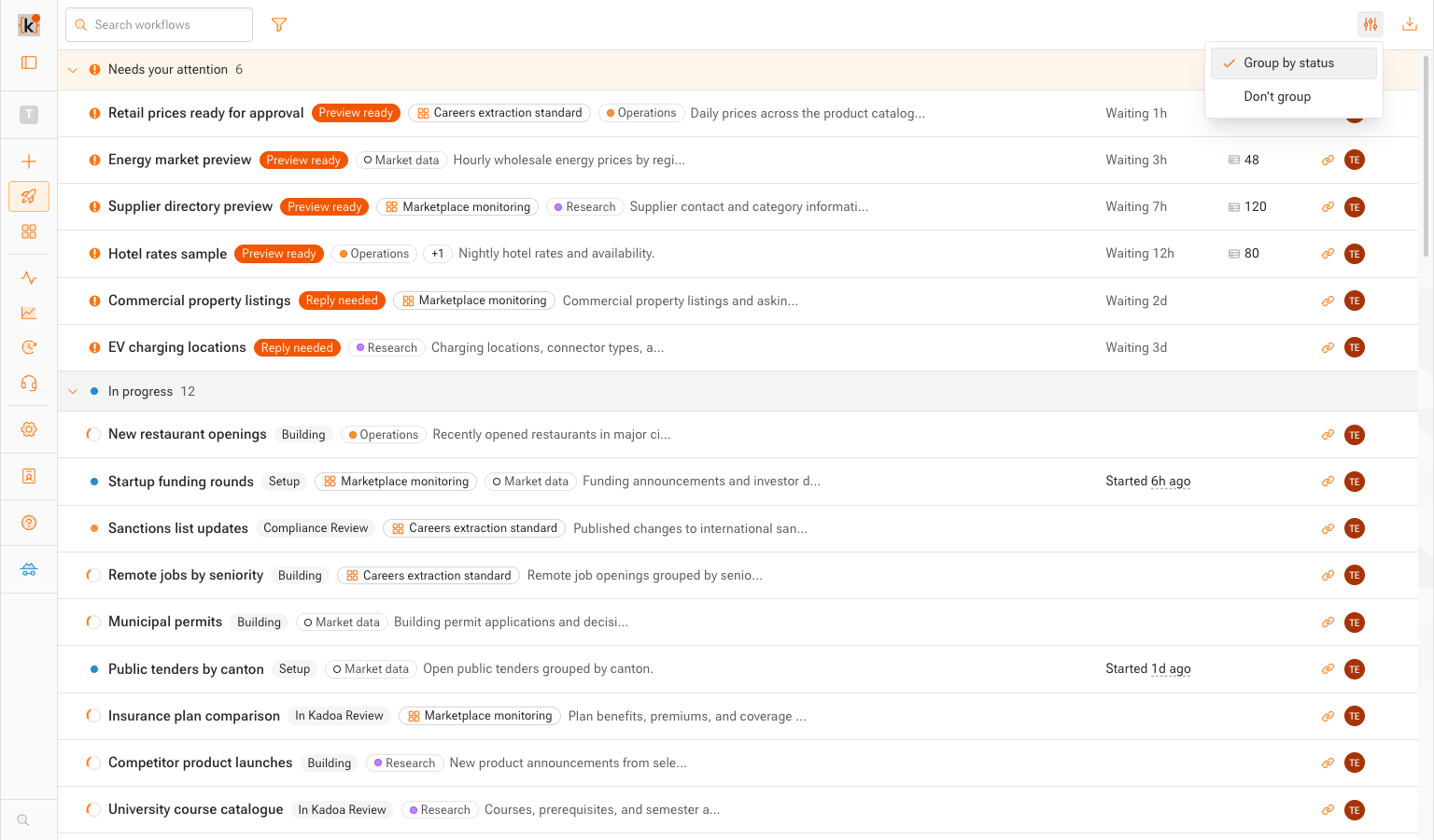
Each row is easier to scan while keeping useful context such as the workflow's current state, template, tags, recent activity, row count, and owner.
Use Display options to choose how the dashboard is organized:
- Group by status keeps workflows that need action at the top and groups the rest by lifecycle stage.
- Don't group shows one continuous list when you want to follow workflows by recency.
Both views load more workflows as you scroll, so large workflow lists no longer require page-by-page navigation.